MCP SERVICES

Give AI a Controlled Way Into the Systems Your Business Already Uses

Tech.us builds MCP servers that let AI applications use approved business capabilities without opening broad access to the systems behind them.
Our MCP server development services turn existing APIs and workflows into clear MCP interfaces that can be reused across AI applications.

1,500 +
26 +
30 +

TRUSTED BY ORGANIZATIONS THAT DEPEND ON TECHNOLOGY

WHAT MCP CHANGES

Stop Building a New Integration for Every AI Application

MCP creates a reusable way for AI clients to reach approved tools and business context without each application inventing its own connection.

Reuse the Same Capability

Expose a business function once and make it available to compatible AI clients instead of rebuilding the integration around every application.

Keep the Source System in Place

Let MCP sit between the AI client and the existing application rather than moving business logic into another layer.

Limit What AI Can Reach

Expose specific capabilities instead of giving an AI application unrestricted access to the underlying system.

Change the Connection Without Rebuilding the Client

Keep system-specific integration logic behind the MCP server so changes to the backend do not need to spread across every AI application.

MCP DEVELOPMENT SERVICES

Build Only the MCP Layer the Workflow Actually Needs

Our Model Context Protocol development services start with the business capability that needs to be exposed, then define the smallest useful MCP surface around it.

MCP Consulting & Architecture

Use MCP consulting services to determine where MCP adds value before development starts. We assess the existing APIs and target clients, then define whether the right approach is a custom server, vendor-provided MCP, or a gateway layer.

Custom MCP Server Development

Build a custom MCP server around the tools or resources your AI application actually needs. We keep existing business logic behind the server instead of recreating it inside the MCP layer.

Enterprise MCP Server Development

Design MCP for enterprise environments where system access needs to follow existing identity rules. Enterprise MCP server development focuses on fitting the protocol into the controls already protecting the underlying applications.

MCP Integration Services

Connect MCP servers to AI applications or agent workflows so available tools become usable inside the actual product experience. Our MCP integration services also cover existing servers that need to be introduced into a new client environment.

REST API to MCP Server Conversion

Convert REST API to MCP server interfaces when useful business capabilities already exist behind an API. The MCP layer can present those functions as clear tools without rebuilding the service underneath.

MCP Gateway Implementation

Use an MCP gateway when multiple servers need a common control point. The gateway can provide a consistent path for access while keeping individual backend systems separated.

Secure MCP Server Development

Build a secure MCP server for enterprise use around explicit permissions and narrowly defined tools. The goal is to make useful capabilities available without turning MCP into a shortcut around existing system controls.

MCP Server Deployment Services

Move MCP servers from development into an environment that fits the organization's infrastructure requirements. MCP server deployment services can support remote or self-hosted operating models.

MCP Server Testing & Validation

Test tool behavior with realistic inputs before AI clients depend on it. We verify that expected actions work and that unsupported requests fail in a controlled way.

Selected Work

Technology Built Around Real Business Requirements

See how Tech.us turns complex system needs into software that works in production.

View All Case Studies

AI-Powered Takeoffs From Complex Construction Drawings

A precast concrete manufacturer partnered with Tech.us to bring AI into the estimating workflow. The system uses OCR, computer vision, and generative AI to identify, extract, and visualize structures, pipes, and components from complex construction drawings.

Read the Case Study
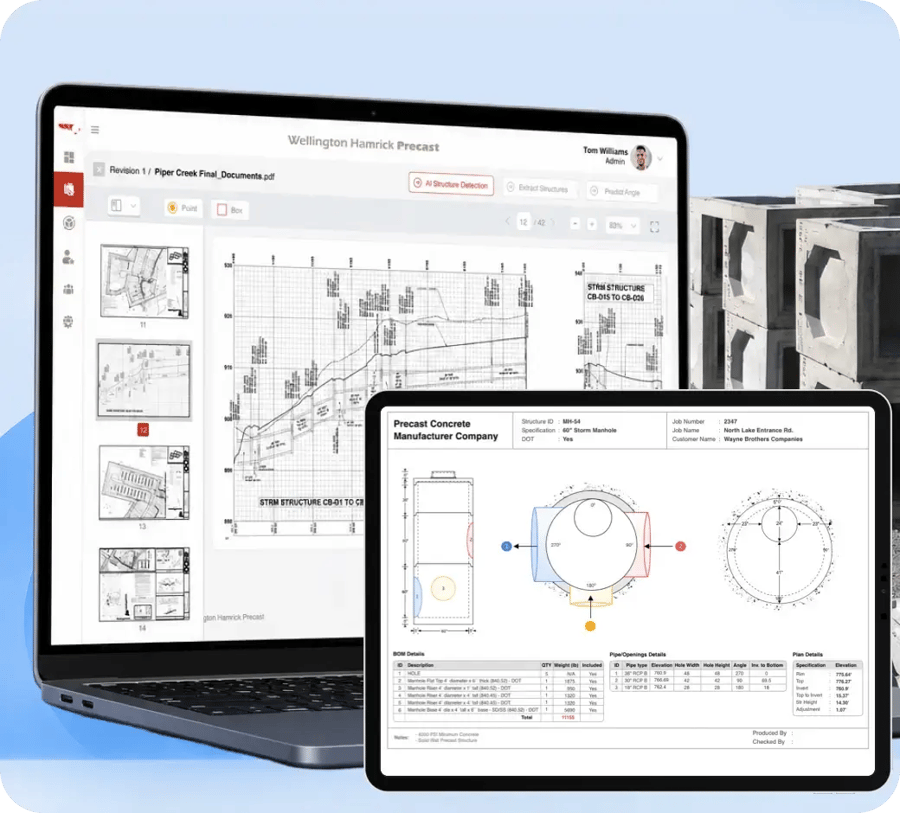

Wellington Hamrick Precast AI takeoff automation tool shown on laptop and tablet

Mobile Fleet Visibility Built for Field Operations

SkyHawk by TELUS needed a streamlined mobile experience for its Connect Anywhere platform. Tech.us built the core experience around real-time asset tracking, fleet activity, secure configuration, and map-based operational visibility.

Read the Case Study
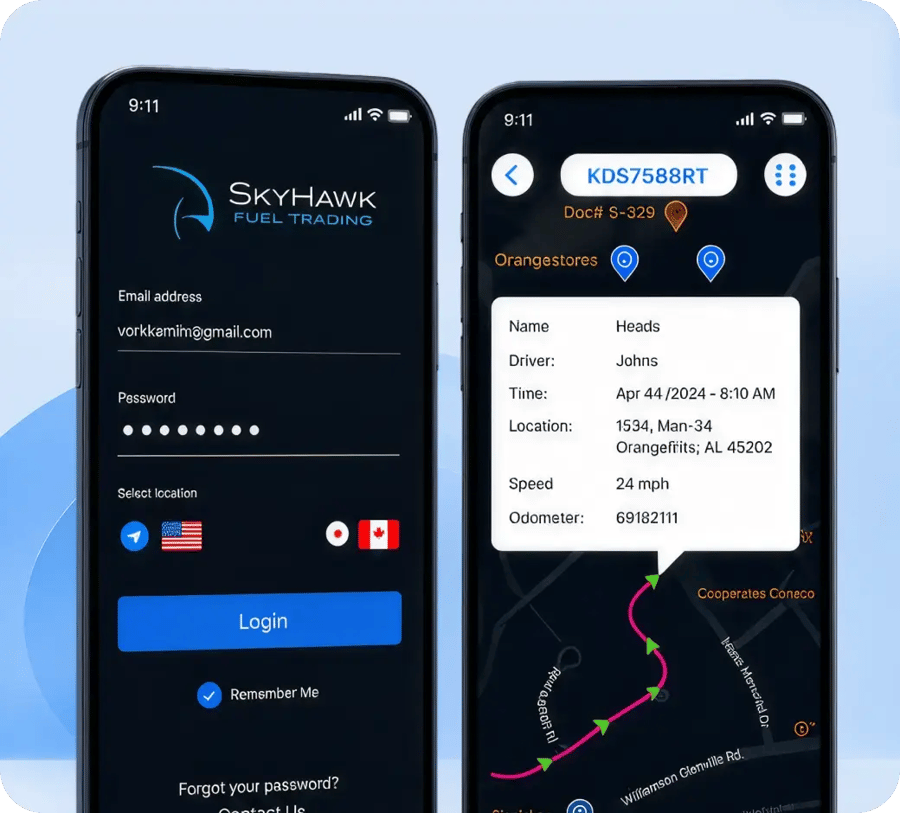

SkyHawk by TELUS mobile app screens showing fleet tracking and login

Personalized Financial Technology Built to Scale

Tech.us helped bring Wealth Mastery to life as a digital platform that puts personalized financial planning tools directly in users' hands while supporting a large and growing audience.

Read the Case Study
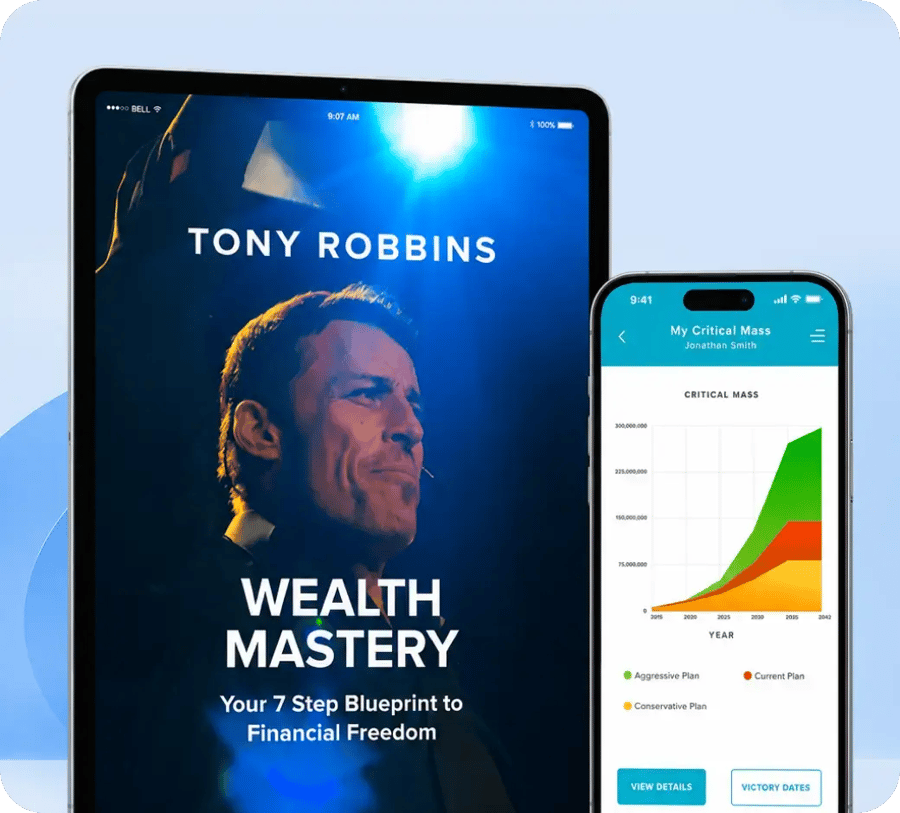
Tony Robbins Wealth Mastery app shown on tablet and phone

WHY TECH.US FOR MCP DEVELOPMENT

We Design the Boundary Before We Build the Server

The important question is not how many tools an MCP server can expose. It is what the AI client should be allowed to reach in the first place.

We Start With the Client's Job

We define what the AI application is trying to accomplish before deciding what should become an MCP tool.

We Reuse Existing Business Logic

If the application already exposes the required function through an API, we use that path rather than rebuilding the same logic inside the server.

We Keep Tools Narrow

Each tool should perform a clear job. Broad tools create more room for unexpected behavior and make permissions harder to reason about.

We Separate MCP From the Source System

The MCP layer should provide access to a capability without becoming the new owner of the business data or rules behind it.

We Design the Failure Path

The server needs a clear response when a system is unavailable or a request cannot be completed safely.

We Test From the Client Side

A server can be technically valid and still be difficult for an AI client to use. We test how the exposed capability behaves in the workflow where it will actually run.

why-choose-techus

Start With the APIs and Business Functions You Already Own

Turn existing capabilities into MCP tools instead of rebuilding the same logic for AI.

Talk To Our AI Expert

HOW WE WORK

Start With the Capability, Then Define the MCP Surface

Each tool or resource earns its place based on a real workflow, not simply because the backend system happens to expose it.

1

Define the Use Case

Identify what the AI client needs to accomplish and where an external system becomes part of that task.

2

Review Existing Interfaces

Check whether the required capability already exists through an API or another supported interface.

3

Define the MCP Tools

Turn the required operations into clear tools with explicit inputs and predictable outputs.

4

Apply Access Rules

Connect each capability to the identity and permission model required by the underlying system.

5

Test the Client Interaction

Verify that the AI client can choose and use the tool correctly across realistic requests.

6

Deploy and Operate

Run the server in the appropriate environment and monitor how the connection behaves after production use begins.

CHOOSING THE MCP APPROACH

Do Not Build a Custom Server When the Existing One Already Fits

The first MCP decision is often whether custom development is needed at all.

Use a Vendor MCP Server

Use an existing server when the vendor already exposes the required capability and its access model fits the workflow.

Wrap an Existing API

Build MCP around a current API when the underlying system already does the job well but needs a standard interface for AI clients.

Build a Custom MCP Server

Choose custom MCP server development when the required capability does not exist in a usable form or several internal operations need to be presented as one clear tool.

Add an MCP Gateway

Introduce a gateway when clients need controlled access across multiple MCP servers instead of managing every connection independently.

ENTERPRISE SYSTEM CONNECTIONS

Turn Enterprise System Functions Into MCP Tools AI Can Use

MCP should surface the actions an AI client needs without turning an ERP or internal system into an open toolbox.

MCP Server for ERP Systems

An MCP server for ERP systems can expose selected business functions while leaving the ERP responsible for the underlying records and rules.

MCP Server for SAP / NetSuite / Dynamics 365

The integration approach depends on what each platform already exposes. We first identify whether an available interface can support the workflow before adding a custom MCP layer.

Custom MCP Server for Salesforce

A custom MCP server for Salesforce can expose selected CRM capabilities when the required workflow goes beyond an existing connector or needs tighter control over what the AI client can do.

MCP Server for Legacy Systems

A legacy application can still participate in an MCP workflow when there is a reliable interface behind it. Where no usable API exists, the integration path has to be solved before MCP can provide a clean surface.

MCP Server for Internal APIs

Internal services are often strong candidates for MCP because the business capability already exists. The server can expose selected internal API functions without making the AI client understand every backend detail.

MCP Server for Supply Chain Systems

MCP can present selected supply chain functions as tools when AI workflows need access to operational systems without broad backend access.

Access & Security

A Useful MCP Server Should Still Know When to Say No

A production MCP server needs clear limits around who can call a capability and what that capability is allowed to change.

Authenticate the Caller

Establish who is making the request before exposing protected tools or business information.

Authorize Each Capability

Access to one MCP server should not automatically mean access to every tool it provides.

Validate Tool Inputs

Treat model-generated tool arguments as input that still needs to satisfy the rules of the underlying operation.

Keep Sensitive Data Behind the Boundary

Return only the information required for the task instead of exposing the full backend response by default.

Keep Important Actions Reviewable

Where a tool can create a meaningful business change, preserve enough context to understand what was requested and what the system did.

DEPLOYMENT OPTIONS

Run MCP Where Your Security Model Can Support It

Deployment should follow the system and data boundaries behind the use case.

Remote MCP Server Development

Remote MCP server development gives compatible AI clients a centrally operated server they can reach over the network. This can make updates easier when several clients rely on the same capabilities.

Self-Hosted MCP Server Deployment

Self-hosted MCP server deployment keeps the MCP layer inside infrastructure controlled by the organization when internal policies or system access make that the better fit.

Gateway-Managed Deployment

An MCP gateway implementation can provide one managed entry point when multiple servers need shared access policies or centralized operational control.

MCP FOR SAAS PRODUCTS

Let AI Clients Use Your Product Without Rebuilding Your Product

An MCP server for SaaS products can turn existing application capabilities into tools that compatible AI clients can use.

Expose Product Actions

Make selected product functions available as MCP tools instead of requiring customers to design their own integration.

Keep Tenant Boundaries Intact

The MCP layer should follow the product's existing identity model so one customer cannot reach another customer's data.

Reuse the Product API

Where the SaaS platform already has a stable API, the MCP server should use it rather than creating a second implementation of the same function.

Version the MCP Surface Deliberately

Changes to tool definitions can affect clients that depend on them, so the MCP interface should evolve with the same care as the product API.

MCP Delivery Options

Bring in the MCP Expertise the Project Actually Needs

The delivery model should depend on whether you need architecture help, implementation capacity, or ownership through deployment.

MCP Consulting Services

Use consulting when the main question is whether MCP fits the use case and how it should connect to the existing system environment.

MCP Development Team

Use a delivery team when the architecture is clear enough to move into custom MCP server development and integration.

Hire MCP Developers

Organizations looking to hire MCP developers for a defined initiative can use Tech.us to add protocol and integration expertise without building a permanent team around one project.

TECH STACK

Use MCP Without Replacing the Technology Behind It

The MCP layer should fit the existing application environment rather than forcing the underlying systems into a new architecture.

Agentic AI & Orchestration

Agentic AI Agentic AI
AI Agents AI Agents
Multi-Agent Systems Multi-Agent Systems
Agentic Workflow Automation Agentic Workflow Automation
Model Context Protocol (MCP) Model Context Protocol (MCP)
Agent-to-Agent Protocol (A2A) Agent-to-Agent Protocol (A2A)
Agent Memory and Reasoning Agent Memory and Reasoning

FAQ

Questions Buyers Ask About MCP Development

An MCP server exposes approved tools or context through the Model Context Protocol so compatible AI clients can use capabilities outside the model itself. The server sits between the AI client and the system that actually owns the data or business function.

MCP development services can include architecture planning and custom server development. They may also cover existing API conversion, enterprise integration, access controls, testing, and deployment depending on how the server will be used.

Custom MCP server development makes sense when the capability you need is not available through an existing MCP server or when an internal workflow needs to be represented as a controlled tool for AI clients.

A REST API exposes application endpoints for software integrations. An MCP server presents selected capabilities in a form designed for MCP-compatible AI clients. In many projects, the MCP server uses the existing REST API underneath instead of replacing it.

Yes. If the required business functions already exist behind a usable API, we can convert REST API to MCP server tools without rebuilding the backend service.

Choose an MCP server development company that understands both the protocol and the systems being exposed through it. The team should be able to define narrow tools, work with existing identity controls, and explain when custom MCP development is unnecessary.

Yes. A self-hosted MCP server deployment can keep the server inside infrastructure controlled by your organization when that better matches your data or system boundaries. 

Yes, if the legacy system provides a reliable integration path. When it does not, the first engineering problem is creating a safe interface to the underlying capability before presenting it through MCP.

Turn Existing System Capabilities Into MCP Tools AI Can Actually Use

Start with one workflow where an AI client needs reliable access to a business function that already exists.

Plan Your MCP Solution

Tool design · API wrapping · Access control · Deployment