blog-img

POPULAR POSTS

  • 01

    How To Improve Document Processing Accuracy Using Document AI

  • 02

    The Guide to Chatbot Development & What to Seek while Hiring a Company

  • 03

    11 Proven Benefits of AI Chatbots for Businesses in 2025

  • 04

    What Digital Transformation Means for Businesses in 2026

  • 05

    Understanding Natural Language Processing: The What? The How? and The Why?

Do Businesses Still Benefit from Native iOS App Development in 2026?

Posted by Tech.us Category: software product development saas

tech.us-recognized-by-mobile-app-daily

In a cross-platform world, does native iOS still drive business growth?


A few years ago, this wasn’t even a debate. Companies built native apps because that was the only reliable option. Then cross-platform frameworks matured, development timelines shrank, and suddenly every roadmap discussion began with the same question:


Why not just build once and run everywhere?


On paper, that sounds efficient. In practice, the answer depends on what your app actually does inside your business.


According to a recent study, iOS is more popular in the US and holds 61% share, aligning with pros and urban subscribers who expect seamless flows.


If your application is mostly informational, showing content, forms, or simple dashboards, platform rarely matters.


But when the app becomes part of operations, customer retention, or revenue generation, technical decisions start affecting business outcomes.


That’s the point where many teams notice strange friction:


  • Data looks slightly different across devices
  • Field employees rely on manual confirmation steps
  • Performance drops during peak usage
  • Customers abandon flows that should feel instant
None of these problems come from poor engineering. They come from abstraction layers.


Native iOS app development removes that layer. Instead of adapting your process to fit a general tool, the software adapts to how your business actually behaves.


And in 2026, that distinction matters more, not less, because apps are no longer just interfaces. They’re operational infrastructure.


Let’s break down where native iOS still makes sense and why companies continue investing in it even when faster alternatives exist.


What Defines Native iOS Development?


Native iOS applications are written specifically for Apple devices using Swift or Objective-C and compiled directly for iPhone and iPad hardware.
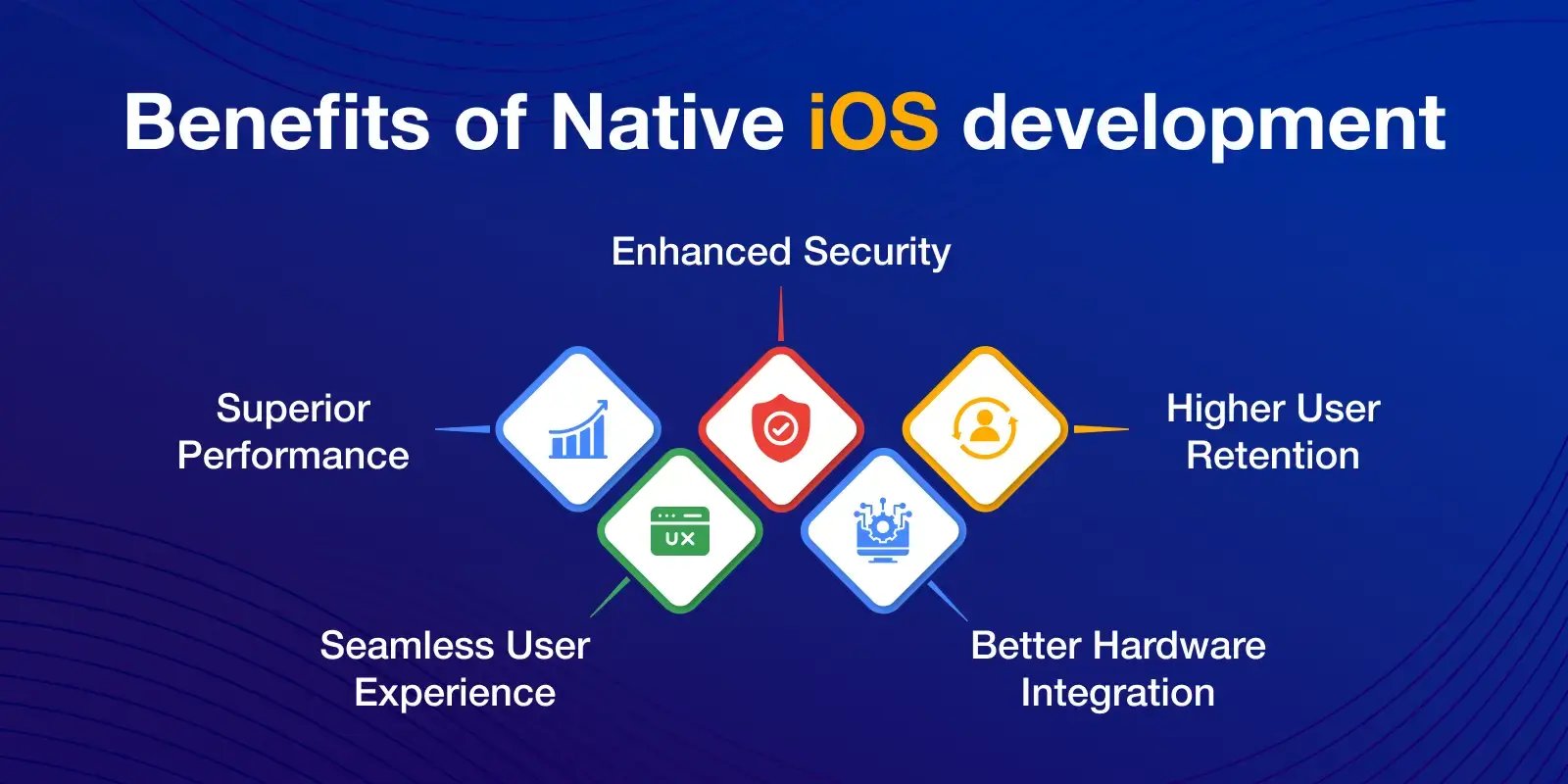

That detail sounds technical, but the business implication is simple:


The app communicates with the device without translation.


Face ID authentication, camera scanning, offline storage, Apple Pay, background processing, on-device AI, these aren’t external integrations. They’re built-in behaviors.


Cross-platform apps often access the same features, but through a shared bridge layer designed to work across multiple operating systems. That bridge introduces small delays and inconsistencies. Individually minor. Operationally noticeable.


For example, a warehouse scanning app doesn’t fail dramatically on a non-native framework.


It just pauses occasionally.


Employees scan again to confirm.


Then confirm again.


Multiply that across hundreds of daily interactions and it becomes a workflow problem, not a technical one.


Native app development avoids that category of friction entirely because the software behaves the way the hardware expects.


Where Native Architecture Matters in Daily Operations


Native development becomes noticeable when users repeatedly interact with device hardware rather than just viewing information.


Typical operational interactions include:


  • Identity verification during secure actions
  • Continuous camera usage (scanning, inspection, uploads)
  • Background processing while employees move between locations
  • Real-time updates during unstable connectivity
  • Offline data capture with later synchronization

When these occur frequently, small delays compound into workflow friction.


What Businesses Actually Experience


When it comes to mobile app development, instead of technical improvements, companies usually observe behavioral changes:


  • Fewer repeated actions by employees
  • Reduced training time for field users
  • Less need for manual confirmation steps
  • Higher completion rate of mobile tasks
  • Fewer “app froze” support tickets

The Premium Audience Factor


Not every user base behaves the same.


iOS users tend to adopt updates faster, engage more consistently, and trust in-app transactions sooner. The result isn’t simply higher spending; it’s more predictable behavior.


Predictability matters more than volume.


Businesses relying on subscriptions, memberships, bookings, or recurring engagement benefit from environments where customers return naturally instead of being constantly re-acquired.


Companies often discover this unintentionally. They release identical features across platforms, yet support tickets, refunds, and drop-offs cluster on one side.


It isn’t about platform loyalty. It’s about interaction stability.


When interactions feel immediate, authentication works instantly, payments complete reliably, and sessions resume without reset, customers form habits. Native apps strengthen those habits because they operate within a tightly controlled ecosystem.


For businesses, that usually shows up as retention rather than downloads.


Why Retention Improves in Controlled Ecosystems


Customer loyalty in mobile apps often depends on interaction reliability more than feature count.


Users continue using apps when:


  • login works instantly
  • sessions restore correctly
  • payments complete predictably
  • previous activity is remembered
  • navigation remains consistent across updates

Native environments reduce variability, which stabilizes user habits.


It’s important to note that the business adoption of iOS apps are also increasing mainly due to privacy features, as a result, enterprise app development witnesses a strong share of iOS development.


Observable Business Outcomes


  • Lower reacquisition spending
  • Higher subscription continuity
  • Fewer abandoned transactions
  • More frequent repeat usage

Device Consistency Reduces Operational Noise


Supporting a mobile application isn’t just development. It’s testing, maintenance, debugging, and updates.


Apple maintains a relatively small set of active devices and a high adoption rate for the latest OS versions. From an operational standpoint, that changes planning dramatically.


Instead of preparing for unpredictable edge cases, teams operate within known conditions.


This doesn’t make development easier, but it makes outcomes predictable.


A retail operations team once described their experience after moving a field inventory tool to a native build: they didn’t fix fewer bugs, they discovered fewer unknown ones.


That distinction matters. Unknown issues consume planning time. Predictable issues consume development time.


Predictability scales better.


What Teams Spend Less Time Troubleshooting


When device variations shrink, debugging shifts from reactive to planned work.


Teams typically stop dealing with:


  • screen-specific layout failures
  • inconsistent camera behavior
  • OS version-specific crashes
  • unpredictable background task behavior
  • intermittent push notification delivery

Performance and Reliability in Daily Use


Performance discussions often focus on speed benchmarks, but businesses notice performance differently.


They notice repeat actions.


  • A driver confirming deliveries
  • A technician uploading inspection photos
  • A customer completing checkout

When those actions happen hundreds or thousands of times per day, milliseconds compound into perception.


Native apps feel reliable not because they are dramatically faster, but because they are consistently responsive. The absence of hesitation removes doubt, and doubt is what causes repeated actions, verification steps, and abandoned tasks.


Over time, reliability quietly reduces support requests, training needs, and supervision overhead.


Operational Impact


Operational Area

Before Consistency

After Consistency

Testing

Scenario discovery

Scenario verification

Releases

Delayed due to unknown edge cases

Scheduled updates

Support

User-reported surprises

Predictable fixes

Planning

Buffer time required

Reliable timelines

Engineering focus

Debugging

Feature improvement


Security as a Trust Mechanism


Security conversations usually start with compliance but end with user behavior.


Apple’s ecosystem emphasizes on-device encryption, biometric authentication, and strict app review processes. For businesses handling financial, medical, or personal data, this changes adoption.


Users rarely evaluate encryption standards consciously. They evaluate confidence. If login works seamlessly and sensitive actions feel protected, they continue using the system.


Companies in regulated industries often discover that security improves engagement, not just protection. Employees stop avoiding digital workflows. Customers stop reverting to offline communication.


Security, in practice, becomes usability.


Market Positioning and Customer Type


Choosing iOS development isn’t always about geography or market share. It’s often about audience expectations.


Businesses targeting professionals, urban consumers, or subscription-driven services frequently prioritize experience consistency over platform coverage early on.


The reasoning is operational:


serving a smaller, predictable user group well often produces better feedback loops than serving everyone inconsistently.


Once workflows stabilize, expansion becomes easier because the process itself is validated.


Native development supports that approach by allowing tighter iteration cycles with fewer unknown behaviors, clearer performance signals, and faster learning from real usage.


Understanding Development Cost Realistically


Native development is often perceived as expensive because the initial build requires specialized effort. That’s true, but incomplete.


The real cost difference appears over time.


Cross-platform approaches reduce early development effort but may require ongoing adjustments when advanced device features, performance-sensitive workflows, or system integrations become necessary.


Native projects shift more effort upfront and less later.


Businesses with long-term products, customer portals, operational apps, internal tools, often prefer predictable maintenance over unpredictable adaptation.


The decision therefore isn’t just budget. It’s cost distribution across the product lifecycle.


Cost Distribution Perspective


Phase

Cross-Platform Effort

Native Effort

Initial build

Lower

Higher

Stabilization

Higher

Lower

Scaling

Unpredictable

Predictable

Maintenance

Continuous adjustments

Periodic updates

Lifecycle cost

Often converges

Often stabilizes


Common Challenges of Native iOS Application Development


Native iOS development does introduce constraints.


App review standards require careful handling of permissions and data use. Performance expectations are higher because the platform allows it. Poorly designed flows become more noticeable when interactions are instant.


These challenges are not limitations; they are quality gates.


Teams that plan architecture early usually pass reviews smoothly. Teams that treat mobile apps as secondary interfaces often struggle because the platform exposes inconsistencies in process design.


In other words, native development doesn’t create operational discipline, but it reveals whether it exists.


Keeping Development Efficient


Efficiency rarely comes from choosing a cheaper technology. It comes from choosing scope carefully.


Successful projects typically start with a focused set of core actions, the tasks users perform repeatedly, and expand after observing real behavior.


Some companies also keep non-critical sections web-based while maintaining native interaction for core workflows. This hybrid thinking preserves speed where it matters and flexibility where it doesn’t.


The goal isn’t minimal cost. It’s minimal rework.


Trends That Strengthen Native Value


Mobile apps are increasingly expected to operate intelligently without constant connectivity.


On-device processing, contextual suggestions, and real-time feedback depend on close hardware integration. Features like local predictions, image recognition, and background automation perform best when the software directly understands the device environment.


This doesn’t replace cloud systems, it complements them.


Businesses benefit because decisions happen immediately rather than waiting for remote processing. Operationally, that shortens feedback loops between action and insight.


Native vs Cross-Platform App Development: The Practical Decision


Both approaches have clear roles.


Cross-platform or hybrid app development works well when:


  • speed of launch matters most
  • functionality is primarily informational
  • workflows are not performance-sensitive

Native works best when:


  • the app supports daily operations
  • reliability influences revenue
  • user trust affects retention

The difference is not technical sophistication. It is operational dependence.


If the app is part of how the business functions, not just how it communicates, native development usually aligns better.


Conclusion


Native iOS development still benefits businesses in 2026, not because alternatives failed, but because mobile software has become operational infrastructure.


As applications move closer to revenue, customer trust, and employee productivity, predictability becomes more valuable than universality.


The real question isn’t whether native is better technology. It’s whether your application needs to behave like a dependable system rather than a flexible interface.


When reliability, retention, and real-time interaction matter, businesses continue choosing native iOS, and likely will for the foreseeable future.


FAQs


Does native iOS development still justify its cost?


Yes, when the app directly affects operations or recurring revenue. Predictable performance and reduced workflow friction often offset higher initial effort over time.


Is cross-platform development a bad choice?


No. It’s effective for broad reach and simpler functionality. The decision depends on how central the app is to business processes.


Do customers notice the difference?


They rarely describe it technically, but they respond behaviorally through engagement, completion rates, and continued usage.


When should a company move from cross-platform to native?


Usually when performance, reliability, or device-specific features begin affecting user trust or employee productivity.


Does native development lock businesses into one platform?


Not necessarily. Many companies validate workflows in one ecosystem before expanding strategically.


When Do Businesses Actually Need Data Analytics Services? A Practical Decision Guide

When Do Businesses Actually Need Data Analytics...

NEWSLETTER


RECENT POSTS


blog-img

Do Businesses Still Benefit from Native iOS App Development in 2026?

blog-img

When Do Businesses Actually Need Data Analytics Services? A Practical...

blog-img

11 Ways Android App Development Outperforms iOS for Business Growth in 2026

blog-img

7 Signs Your Business Operations Have Outgrown SaaS and Need Custom...

blog-img

What Digital Transformation Means for Businesses in 2026