AI is everywhere right now. Every business wants in. But most efforts around AI integration in existing systems don’t deliver the expected value. Why? Because adding AI is not the same as making it work.
The biggest mistake businesses make is assuming AI behaves like a feature. It doesn’t. It behaves like a system that depends heavily on your data, your architecture, and your workflows. If your foundation is weak, AI will only amplify those gaps.
Here’s what usually gets in the way:
- Poor AI data readiness and fragmented data pipelines
- Legacy systems that resist integration
- No clear metrics for success or ROI
- Lack of a business-aligned AI strategy
So before jumping into AI implementation in software systems, pause and ask. Is your system actually ready? Or are you forcing AI into a setup that cannot support it?
Let’s look into it.
Before You Start: Is Your Software Even Ready for AI?
Before you think about models, tools, or vendors, pause for a second. Is your system actually ready for AI development or integration? Or are you trying to force intelligence into a setup that struggles with basic workflows? This is where most AI integration in existing systems starts to fall apart.
An AI-ready system includes clean, accessible data, flexible architecture, and the ability to integrate without friction. If these are missing, AI will struggle to deliver value no matter how advanced the model is.
What does an “AI-ready system” actually look like?
Let’s simplify this. An AI-ready system is not about being “advanced.” It’s about being prepared.
Ask yourself:
- Can your system easily connect with external tools through APIs?
- Is your architecture modular, or tightly coupled and hard to change?
- Do you have reliable, structured data that AI can learn from?
If you’re unsure about any of these, that’s your first signal.
How do you quickly assess your system readiness?
You don’t need a full audit to get started. A quick internal check can reveal a lot.
Try this simple checklist:
- Is your data centralized or scattered across tools?
- Can your system handle additional processing load?
- Do you already use APIs for integrations?
- How easy is it to extract and clean your data?
- Can your workflows adapt to AI-driven outputs?
If most answers feel unclear or negative, your AI data readiness needs work.
Also watch for hidden friction:
- Long deployment cycles
- Frequent system crashes under load
- Heavy reliance on manual processes
These are early signs of AI scalability issues waiting to happen.
What happens if you skip this step?
This is where things get expensive. And frustrating. When businesses rush into modernizing legacy systems by adding AI to it without preparation, here’s what typically happens:
- Integration becomes complex and slow
- AI models underperform due to poor data
- Costs increase with little visible ROI
- Teams lose trust in AI initiatives
And the worst part? You might assume AI “doesn’t work,” when the real issue is your foundation.
The 7 Biggest Mistakes Businesses Make When Adding AI
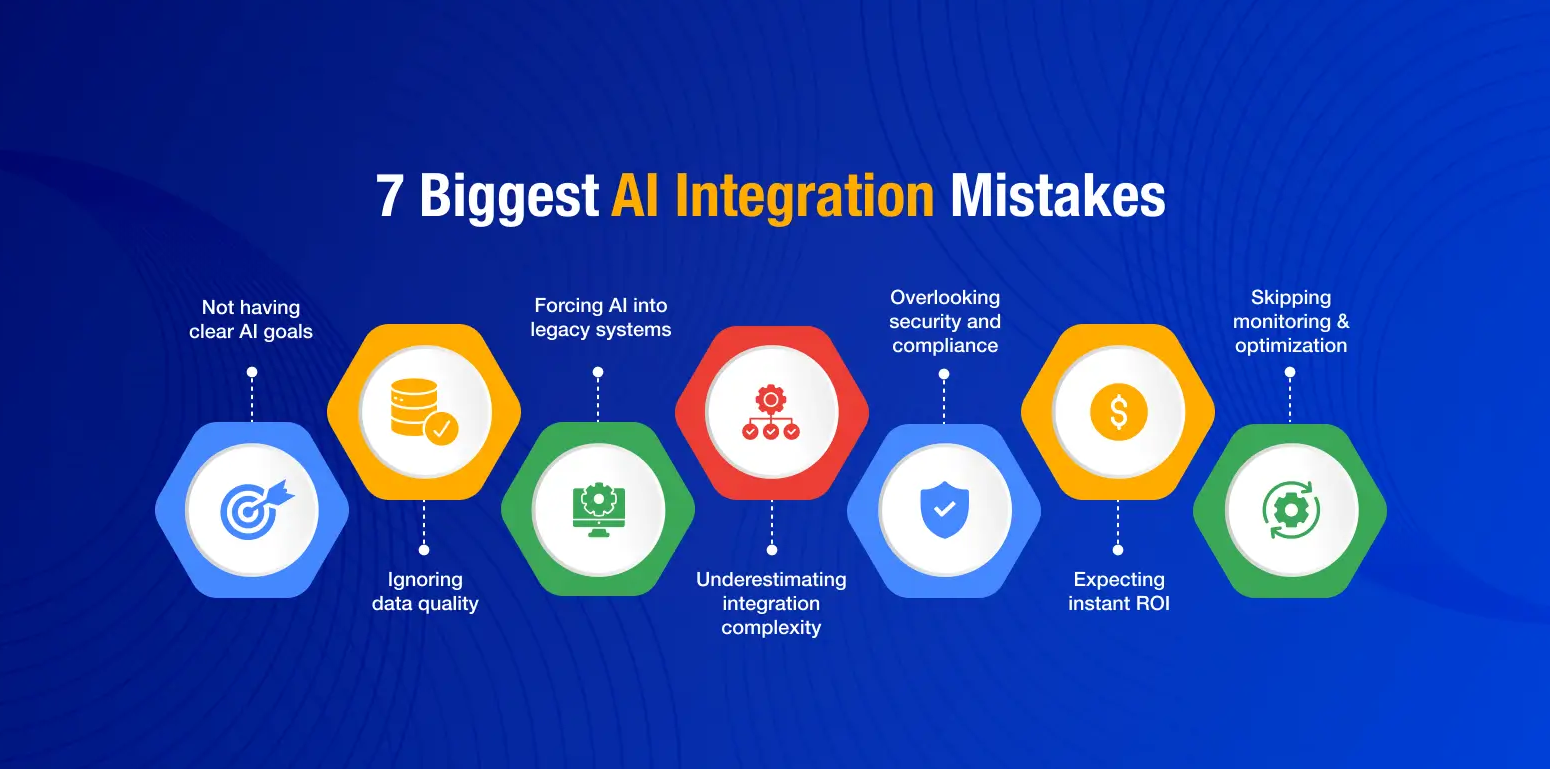
Let us now look into some of the most common mistakes that businesses make.
Mistake 1: Are You Adding AI Without a Clear Business Goal?
Here’s a simple question. What exactly should your AI do?
If the answer is vague, that’s a problem. Many teams jump into AI implementation in software systems thinking AI will “improve efficiency” or “automate processes.” That sounds good, but it’s not actionable.
AI integration means solving a specific problem with measurable impact.
For example:
Without this clarity, things drift quickly.
What goes wrong when goals are unclear?
- Teams work in different directions
- AI models are trained on irrelevant data
- ROI becomes hard to measure
- The project loses momentum
How should you define success?
Start small. Think in terms of outcomes, not features.
- Set clear KPIs tied to business value
- Align stakeholders early
- Build a proof of concept (POC) before scaling
When your goals are clear, your AI integration roadmap becomes easier to execute.
Mistake 2: Are You Ignoring Data Quality and Availability?
Let’s be honest. Most AI projects don’t fail because of the model. They fail because of the data behind it. So here’s the real question. Is your data actually usable, or just available?
AI systems are only as good as the data they learn from. Strong AI data readiness and well-structured data pipelines are essential for accurate and reliable outcomes.
Is your existing data usable for AI models?
Having data is not enough. It needs to be clean, structured, and accessible.
In many cases, business data looks like this:
- Scattered across multiple tools
- Locked inside legacy systems
- Inconsistent in format
You might have years of data. But if it’s fragmented or unstructured, your AI model will struggle to learn anything meaningful.
What are the risks of poor-quality data?
This is where things quietly break.
Poor data leads to biased outputs. It reduces model accuracy. It also creates trust issues across teams. Imagine deploying an AI system that makes inconsistent decisions. Would you rely on it?
This is one of the biggest AI software integration challenges that teams underestimate.
How do you fix data issues before integration?
You don’t need perfection. But you do need discipline by implementing robust data analytics.
Start by cleaning and standardizing your data. Remove duplicates. Fix inconsistencies. Build simple data pipelines that ensure continuous data flow.
Think of this as groundwork. Without it, even the most advanced enterprise AI solutions won’t deliver real value.
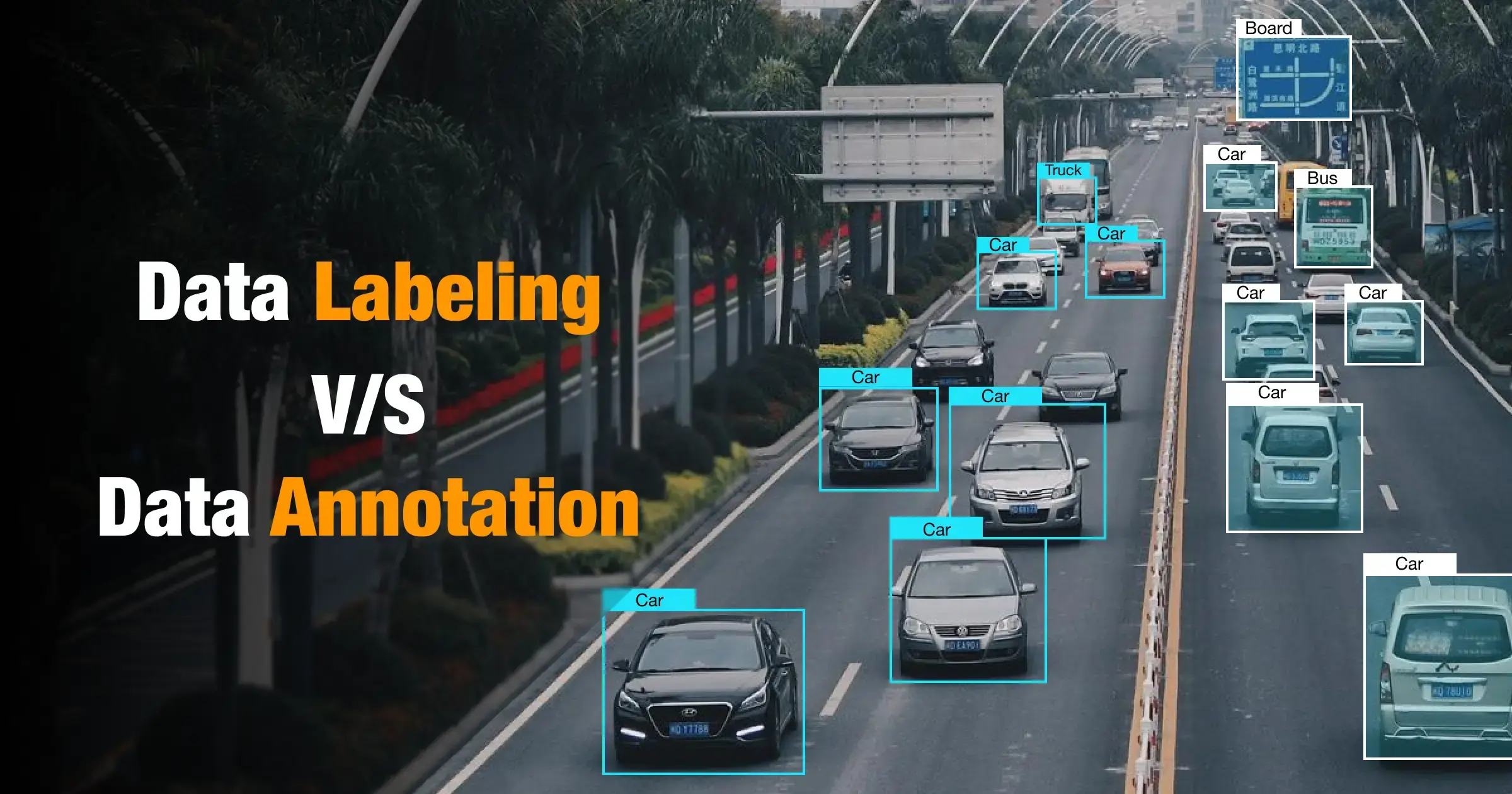
When it comes to refining data, both data labelling and data annotation play crucial roles. However, understanding the difference between data labelling and annotation is crucial which lays a clear foundation.
Mistake 3: Are You Trying to Force AI into Legacy Systems?
Here’s something many teams don’t admit early enough. Your system might be the real bottleneck, not the AI.
You can have the right model, the right use case, even the right data. But if your system isn’t built to support it, things start breaking quietly.
Adding AI to legacy systems without evaluating your AI system architecture often leads to performance issues, integration delays, and rising costs. Sometimes, legacy system modernization is not optional. It’s necessary.
Can your current architecture support AI workloads?
Take a closer look at your setup. Is it modular and flexible? Or tightly coupled and hard to change?
Legacy systems are often:
- Monolithic in design
- Slow to adapt to new integrations
- Not built for real-time AI processing
Now ask yourself. Can this system handle continuous data flow, model updates, and API calls without friction? If the answer is no, you’re setting yourself up for trouble.
What breaks when AI meets outdated infrastructure?
This is where the cracks start to show.
- Performance slows down under AI workloads
- Systems struggle with scalability
- Integration timelines stretch longer than expected
These are classic AI scalability issues. And they don’t show up on day one. They appear when you try to scale.
Should you modernize or just integrate?
There’s no one-size answer. But here’s a simple way to think about it:
- If your system supports APIs and handles load well, start with integration
- If it’s rigid and hard to scale, consider software modernization with AI
- If you’re unsure, begin with a proof of concept (POC) before committing
Trying to force AI into the wrong system rarely works. Fix the foundation, and everything becomes easier.
Mistake 4: Are You Underestimating Integration Complexity?
This is where many AI projects slow down. On paper, integration looks straightforward. In reality, it’s anything but.
Adding AI is not like adding a new feature. It changes how your system behaves, processes data, and responds in real time.
AI integration is complex because it involves models, data flow, and system behavior. A clear AI integration roadmap and phased execution can reduce risk and avoid delays.
Why is AI integration more complex than standard features?
Traditional features follow fixed logic. AI doesn’t. It learns, adapts, and evolves. That means you’re not just deploying code. You’re handling AI model deployment, continuous data input, and dynamic outputs.
Ask yourself:
- How will the model interact with your existing workflows?
- What happens when the model output is wrong?
These aren’t typical development questions. But they matter here.
What integration challenges should you expect?
A few things usually come up:
- API dependencies that slow down communication
- Latency issues during real-time AI processing
- Difficulty connecting models with existing data pipelines
These are common machine learning integration challenges, especially in older systems.
How can you reduce integration risk?
You don’t need to solve everything at once. Start small. Test early.
- Build a focused proof of concept (POC)
- Roll out in phases instead of full deployment
- Monitor system behavior before scaling
AI works best when you treat integration as a process, not a one-time task.
Mistake 5: Are You Overlooking Security and Compliance Risks?
AI brings speed and intelligence. But it also introduces a new layer of risk that many teams don’t fully think through.
Here’s the question you should be asking early. Is your AI system secure, or just functional?
AI systems expand your risk surface. Strong AI governance and compliance practices are essential to protect data, ensure trust, and avoid regulatory issues.
What new risks does AI introduce?
AI doesn’t just use data. It depends on it continuously.
This creates risks like:
- Sensitive data exposure during processing
- Model vulnerabilities that can be exploited
- Unexpected outputs that may leak information
And here’s the tricky part. These risks are not always visible during development. They show up later, often when systems scale.
How does compliance change with AI systems?
Compliance becomes more complex with AI. You now need to think about:
- How data is collected, stored, and used
- Whether your AI decisions are explainable
- Industry-specific regulations around automated systems
Without proper oversight, your AI adoption in enterprise software can quickly run into legal and ethical issues.
How do you build secure AI systems?
Start with the basics, then go deeper.
- Implement strong access controls for data and models
- Monitor model behavior continuously as part of AI lifecycle management
- Audit data usage across your data pipelines
Security is not a one-time step. It’s an ongoing process. If you ignore it early, fixing it later becomes far more difficult.
Mistake 6: Are You Expecting Instant ROI from AI?
This is where expectations often clash with reality. AI sounds powerful. So it’s easy to assume results will show up quickly.
But, AI is not a plug-and-play investment. It’s a system that improves over time.
AI delivers value through iteration. Setting realistic expectations and following a phased AI integration roadmap helps balance short-term wins with long-term impact.
Why does AI take time to deliver value?
AI models need to learn. And learning takes time.
You’re dealing with:
- Training cycles based on your data
- Continuous tuning and improvement
- Adjustments as new data flows in
Even with strong AI data readiness, results don’t stabilize immediately. Early outputs may need refinement before they become reliable for data-driven decision making.
What realistic ROI timelines should you expect?
Think in phases, not instant returns.
- Short-term: Process improvements, small efficiency gains
- Mid-term: Better accuracy, reduced manual effort
- Long-term: Scalable impact across workflows
This is where many AI software integration challenges come in. Teams expect quick ROI, but AI needs time to mature within your system.
How can you show early wins?
You don’t have to wait months to prove value. Start with focused use cases:
- Automate a repetitive task
- Improve a specific workflow
- Run a proof of concept (POC)
Small wins build confidence. They also help justify scaling your enterprise AI solutions in a structured way.
Mistake 7: Are You Neglecting Continuous Monitoring and Optimization?
Here’s something many teams realize too late.AI doesn’t stay accurate on its own. You might launch a model that performs well today. But what happens next month? Or when your data changes?
AI is not a one-time deployment. Strong AI lifecycle management with continuous monitoring and optimization is essential to maintain accuracy and long-term value.
Why is AI not a “set-it-and-forget-it” solution?
AI models learn from data. And your data keeps evolving.
Customer behavior shifts. Market conditions change. Internal processes get updated. This leads to something called model drift, where your AI slowly becomes less accurate over time.
Without monitoring, even a well-built model can start making poor predictions.
What happens if you don’t monitor AI systems?
This is where things quietly break.
- Model performance drops without clear signals
- Decisions become less reliable
- Teams lose trust in AI outputs
And the worst part? You may not notice it immediately. The system keeps running, but the value keeps declining.
What does a strong AI lifecycle look like?
Think of AI as a continuous loop, not a one-time task.
A solid approach includes:
- Ongoing performance monitoring
- Regular retraining using updated data pipelines
- Feedback loops from real-world usage
This is how mature enterprise AI solutions operate. They evolve with the business. If you want AI to stay relevant, you need to treat it like a living system, not a finished product.
What Does a Successful AI Integration Strategy Look Like?
By now, one thing should be clear. AI success doesn’t come from tools alone. It comes from how you approach the entire journey.
So what actually works?
A successful approach follows a clear AI integration roadmap, starting with business goals, backed by strong data, and executed through iterative deployment and continuous monitoring.
What are the key steps in a successful AI integration roadmap?
Keep it simple. Don’t overcomplicate it.
Start here:
- Define a clear business problem and expected outcome
- Assess your system for AI-ready systems capabilities
- Build reliable data pipelines for consistent input
- Move into AI model deployment with a focused use case
- Monitor performance and refine continuously
Think of this as a loop, not a one-time process.
What separates successful AI projects from failed ones?
It usually comes down to a few grounded decisions.
Successful teams:
How to Avoid AI Integration Mistakes
Before you move forward with AI integration in existing systems, use this quick checklist to stay on track and avoid costly missteps:
- Define a clear, measurable business goal before starting
- Align your approach with a business-aligned AI strategy
- Assess if your system qualifies as an AI-ready system
- Validate AI data readiness and clean your data early
- Build reliable, scalable data pipelines
- Evaluate your current AI system architecture for flexibility
- Start with a focused proof of concept (POC)
- Follow a phased AI integration roadmap, not a full rollout
- Plan for AI governance and compliance from day one
- Set realistic expectations for timelines and ROI
- Monitor performance continuously to avoid model drift
- Establish strong AI lifecycle management practices for long-term success
FAQs
What is AI integration in existing software systems?
AI integration simply refers to embedding AI capabilities into existing applications that enable them to automate processes and improve decision-making without rebuilding the system from scratch.
How do you know if your system is ready for AI?
A system is usually considered to be AI-ready if it has high-quality data that’s accessible, modular architecture, and integration capabilities like APIs. Without these, AI implementation becomes complex and inefficient.
What are the biggest challenges in AI integration?
The biggest challenges include poor data quality, legacy system limitations, integration complexity, lack of clear goals, and ongoing maintenance requirements.
How long does it take to see ROI from AI integration?
AI ROI depends on the use case. However, most businesses see measurable outcomes within 3–12 months when starting with focused pilot projects and scalable implementation strategies.
Can small and mid-sized businesses integrate AI into their systems?
Yes, SMBs can integrate AI using scalable AI models and APIs. Cloud-based AI services also help them achieve their goals as they come without heavy infrastructure investments.